SpyX: Monitoring App
- 4.8
- Rating
- 50.00K
- Installs
- Free
- Price

 Analysis by App-foxy
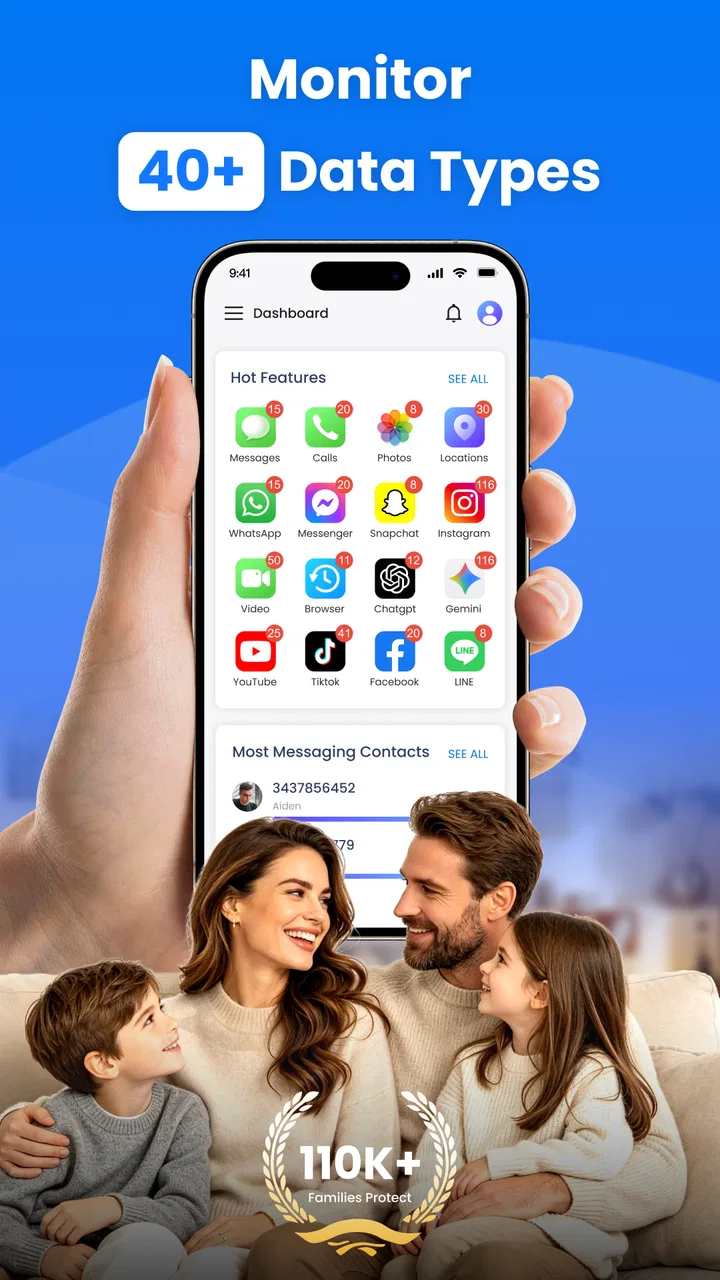
When a child starts traveling to school alone, spends more time online, or uses a phone in a shared household, parents often want a clearer picture without turning every conversation into an interrogation. SpyX is built around that exact concern. It is a free parenting app from SPYX.COM that combines location tracking, keyword alerts, and tools for blocking apps or websites. I see it as a monitoring-focused utility rather than a complete family communication system, and that distinction matters before you install it.
My first impression is that the app aims to put several parental-control tasks in one place. Instead of switching between a location service, a browser filter, and separate screen-time tools, a parent can look at SpyX as a single monitoring point. That can be convenient in a busy household, especially when the goal is basic awareness rather than a complicated technology project.
At the same time, this is not an app I would recommend using secretly or casually. GPS tracking and keyword alerts can affect trust very quickly. The useful question is not simply whether SpyX can watch activity, but whether the family has agreed on what is being monitored, why it is needed, and when the arrangement will be reviewed. Used openly and narrowly, it can support safety. Used as hidden surveillance, it can create a bigger family problem than the one it was meant to solve.
You May Also Like

 Blood Strike: 2.5 Anniversary
Blood Strike’s Loadouts Turn Every Drop Into a Tactical Gamble
A close look at Blood Strike’s custom loadouts: how fast access to signature weapons reshapes its battle royale rhythm, rewards preparation, and narrows the gap between fights.

 Pandora - Music & Podcasts
Pandora’s Music Is Easy to Start, but Harder to Recover
Pandora’s strength is its low-effort path from a seed to a station. Its weak spot is how much confidence it asks you to place in connection, setup, and quiet recovery.

 8 Ball Pool
 Is Built on Rivalries, Rematches, and Routine
A close look at the rivalries, rematches, shared routines, and unanswered safety questions that turn a quick pool match into a persistent mobile community.

 Samsung Music
’s Quiet Strength Is Playing What You Already Own
Its reach comes less from spectacle than from dependable access to a personal library. That simplicity is both the app’s strongest retention engine and its ceiling.

 AccuWeather: Weather Radar
AccuWeather Review: A Quick, Clear Forecast for Everyday Decisions
For everyday plans, the best forecast is the one you can understand quickly. AccuWeather makes rain timing, radar, and local conditions easy to act on, with a few trade-offs.

 Hill Climb Racing
Why Hill Climb Racing Still Turns Crashes Into One More Run
A tiny car, a bumpy hill and one more upgrade: Hill Climb Racing keeps resurfacing because its simple chaos makes every near-miss feel personal.
More From Our News Desk



How SpyX fits into a shared household
I find that SpyX works best when everyone in the household understands the purpose of monitoring, not just the person who installs it. In this section, I’d focus on agreeing which device and activities are in scope, so a shared phone doesn’t blur whose location or alerts are being reviewed. That groundwork also makes it easier to decide what a useful first result should look like.
A practical school-day example
Imagine a teenager whose route home has recently changed. A parent may want to know whether the child reached the expected area, receive an alert when a concerning word appears, and prevent access to a website that is clearly unsuitable. SpyX brings those needs together conceptually: location for physical safety, keyword monitoring for online warning signs, and blocking for prevention.
The advantage is not that every situation needs all three tools. In fact, I think the best experience comes from choosing only the parts that solve a real problem. If the concern is simply a new walking route, GPS tracking may be the relevant function. If the concern is online conversations, keyword alerts may deserve attention. Turning on every available control just because it exists can make the relationship feel unnecessarily restrictive.
Shared-device households need extra care. A phone or tablet may be used by more than one child, a parent, or a visiting relative. Monitoring attached to the wrong person can produce misleading alerts and awkward conclusions. Before relying on anything SpyX reports, I would establish whose activity belongs to the monitored account or device and avoid treating an alert as proof of wrongdoing.
This is one of the less obvious trade-offs with an all-in-one monitoring app: convenience can make boundaries less visible. A separate location tool may make its purpose obvious, while a combined app can encourage a parent to browse more categories of activity than originally intended. I would write down the specific reason for using SpyX and keep the setup limited to that reason.
What the three main tools are good for
GPS tracking is most useful when there is a defined safety context, such as a commute, an unfamiliar area, or a child who needs help getting home. It is less useful as a minute-by-minute substitute for conversation. Location information can show where a device is, but it cannot explain why someone is there, whether plans changed, or whether the device is being carried by the intended person.
Keyword alerts can act as an early signal rather than a final judgment. A word may appear in a joke, a song lyric, a school assignment, or a conversation taken out of context. I would use alerts to start a calm discussion, not to deliver an accusation. Parents who expect the feature to understand tone, sarcasm, or intent may find it frustrating.
The app and website blocker is more preventive. It can be a better fit for younger children who need clear limits than for older teenagers who are ready to discuss independent choices. Blocking can reduce exposure to a known problem, but it does not teach a child how to handle a questionable link, a manipulative message, or pressure from peers. I would pair restrictions with an explanation and a plan for gradually earning more independence.
Setup should begin with boundaries, not buttons
Before installing SpyX, I would decide who is responsible for the monitoring account, which device is involved, and what the child has been told. The app is rated for Everyone, but that age classification should not be confused with a recommendation to monitor every person in a household. The appropriate level of oversight depends on maturity, safety concerns, and the family’s expectations.
I would also agree on practical boundaries: whether location is checked only during travel, whether keyword alerts are reviewed immediately or at a set time, and which types of websites or apps justify blocking. These details prevent the app from becoming an always-open window into a child’s life. They also make it easier to explain a decision if the child asks why a control was enabled.
A useful setup habit is to test the arrangement with ordinary, harmless activity. For example, a parent can confirm that the intended device is associated with the intended child and see whether a normal conversation produces an alert that needs interpretation. This kind of trial helps reveal how noisy monitoring may become before the family depends on it during a stressful situation.
I would avoid making changes during an argument. Adding a blocker or expanding monitoring immediately after a disagreement can make the tool feel like punishment. A scheduled review is healthier: discuss what is working, remove controls that are no longer needed, and adjust expectations as the child grows.
Account boundaries matter more than the dashboard
SpyX is strongest when the monitored environment is clearly defined. A single-purpose child device is easier to understand than a shared tablet used by several people. If multiple household members use the same hardware, the parent should be especially cautious about interpreting alerts or location information. The app may be technically installed, yet the human boundary around its use can still be unclear.
I would keep the parent’s access separate from the child’s everyday use and explain who can see monitoring information. That conversation is not a minor courtesy. It establishes whether the app is being used as a safety agreement or as concealed observation. In a family with older children, transparency may determine whether the tool helps preserve trust or damages it.
Another practical point is device handoff. If a phone is passed from one child to another, the household should pause monitoring or recheck the intended association before the new user takes it. Otherwise, a location update or keyword alert may be assigned to the wrong person. This is a simple workflow improvement, but it is exactly the kind of detail that generic app descriptions usually overlook.
Coordinating alerts without creating panic
Alerts are only useful when someone knows how to respond. I would agree on a simple family process: first check the context, then contact the child if necessary, and escalate only when there is a genuine safety concern. Without that process, every notification can feel urgent, leading parents to react too quickly or children to feel constantly watched.
For location tracking, coordination works best when the child knows the expected route or destination. If plans change, the child should have a normal way to communicate that change rather than relying on the parent to infer it from a map. SpyX can support awareness, but it should not replace a message, a phone call, or a clear household rule about changed plans.
Keyword alerts require even more restraint. I would treat them as prompts for review and keep a record of recurring patterns rather than reacting to one isolated phrase. A parent who checks every alert with suspicion may technically be using the feature, but not in a way that encourages responsible digital behavior.
The blocker can simplify coordination when the rule is straightforward. A younger child may understand that certain sites are off-limits, while an older child may need a conversation about why a restriction exists and how long it will last. If the household cannot explain the rule in plain language, the control may be too broad or poorly timed.
Age, trust, and the changing role of monitoring
The Everyone content rating describes the app’s general store classification, not the emotional impact of its features. A child may be comfortable with location sharing for a specific journey but uncomfortable with keyword monitoring. Another child may need stronger restrictions because of age or a particular safety issue. I would separate these decisions instead of treating monitoring as one package.
For younger children, SpyX may be most useful as a parent-managed safety layer around a device. The emphasis should be on preventing accidental exposure and helping a child build healthy routines. For teenagers, the same features need a clearer agreement. A teenager who understands what is visible, when it is reviewed, and how the arrangement can change is more likely to see the app as a temporary support rather than a permanent loss of privacy.
There is also a point where a different approach is better. If the family’s main problem is excessive screen time, a dedicated screen-time system may offer a more focused solution than a monitoring app centered on GPS, keywords, and blocking. If the concern is emergency contact, a simpler location-sharing arrangement may be less intrusive. If the issue is a serious threat, an app alone is not enough; the parent needs direct communication and appropriate real-world support.
Performance expectations and everyday friction
SpyX is free, which makes it easy to consider as a first step rather than a major financial commitment. Its current version is 1.0.4, and it runs on Android starting with version 6.0. Those details make the app accessible to many older Android devices, although compatibility on paper does not guarantee that every household setup will feel equally smooth.
The app has passed the ten-thousand-install mark, while its displayed average rating is 0.0. I would not treat that rating alone as a verdict, but I would approach the product with realistic expectations and test it carefully before depending on it for an important safety routine. A monitoring tool should be checked in the actual household context, not assumed to be reliable simply because its feature list sounds comprehensive.
Battery use, connectivity, device access, and notification behavior can all affect the usefulness of tracking and alerts in daily life. I would check the phone after setup, confirm that the child can still use it normally, and make sure the parent knows where to review information without repeatedly interrupting the child. If the app creates too many false alarms or becomes difficult to manage, reducing the scope of monitoring may help more than adding more rules.
Privacy is another source of friction. A parent should think carefully about who else can access the monitoring account and whether the device is ever used outside the intended family context. Avoiding unnecessary sharing is especially important when location information is involved. The safest configuration is usually the narrowest one that addresses the actual concern.
Who should choose SpyX, and who should look elsewhere?
I would recommend considering SpyX for a parent who wants one free app covering several basic supervision needs and is prepared to discuss its use openly. It makes sense for households where location awareness, keyword-based warning signals, and selective blocking all have a clear purpose. It can also suit a parent who prefers a single place to coordinate these controls instead of assembling several unrelated tools.
I would hesitate to recommend it to someone looking for a polished, deeply specialized solution for only one task. A dedicated location-sharing service may be simpler for travel coordination. A focused web-filtering or screen-time tool may be easier to manage when online restrictions are the only concern. Parents who want detailed family scheduling, shared chores, or communication features should not assume that a monitoring app will provide them.
I would also skip it if the plan is to install it secretly on a shared device or use alerts to settle arguments. The technical features cannot repair a lack of trust, and monitoring can become harmful when the child has no understanding of the rules. In that situation, a conversation and a simpler, transparent safety arrangement would be a better starting point.
My household verdict
After looking at how the features fit together, I see SpyX as a focused parental-control app with a useful combination of location awareness, keyword alerts, and blocking. Its main strength is the ability to address different kinds of concern from one parenting-oriented tool. Its main weakness is that the same breadth can encourage over-monitoring and requires careful interpretation.
I would introduce it gradually: define the device and account boundary, explain the purpose to the child, enable only the necessary control, and review the results together after a reasonable period. That approach makes the app part of a safety plan rather than the whole plan. It also gives the family a chance to discover whether the alerts and restrictions are genuinely helpful in their particular routine.
For a household that values transparent supervision and wants a free starting point, SpyX is worth exploring. I would not present it as a replacement for trust, conversation, or age-appropriate independence. The best result comes when the parent uses its information sparingly, checks context before reacting, and is willing to reduce monitoring as circumstances improve. In that role, it can be a practical aid; outside that role, it may create more friction than protection.
FAQs for SpyX: Monitoring App
01What is SpyX and how does it function?
SpyX is a monitoring app designed for parents and employers to track smartphone activity. It works by installing the app on the target device, allowing users to monitor calls, messages, GPS location, and social media interactions. The app runs discreetly in the background, providing real-time updates through a secure online dashboard.
02Is SpyX legal to use?
The legality of using SpyX depends on your jurisdiction and how you use it. Generally, it's legal for parents to monitor their minor children's devices, and employers can use it on company-owned devices with employee consent. Always ensure you're complying with local privacy laws before installation.
03What devices are compatible with SpyX?
SpyX is compatible with both Android and iOS devices. For iOS, it may require iCloud credentials, while Android phones might need physical access for installation. Always check the app’s compatibility requirements to ensure it supports the device you intend to monitor.
04Does SpyX require rooting or jailbreaking the device?
SpyX typically does not require rooting Android devices or jailbreaking iOS devices for basic monitoring features. However, advanced features might need such actions. It's important to understand the risks involved in rooting or jailbreaking, as it can void warranties and compromise device security.
05How secure is the data collected by SpyX?
SpyX claims to prioritize user data security through encryption and secure servers. However, as with any monitoring app, there's always a risk of data breaches. It's crucial to review the app’s privacy policy and terms of service to understand how your data is handled and protected.
Pros
- User-friendly interface with intuitive controls.
- Real-time location tracking is very accurate.
- Supports multiple device monitoring seamlessly.
- Offers detailed activity reports and alerts.
- Compatible with both Android and iOS devices.
Cons
- Requires internet connection for full functionality.
- Some features may drain battery quickly.
- Premium features can be costly.
- Initial setup can be complicated for beginners.
- Privacy concerns due to data access permissions.

SpyX: Monitoring App
Gallery